Now the browser tab title updates as you navigate the embedded editor. If you're working on a tab called "Sensor Flow", your browser will show Node-RED: Sensor Flow - FlowFuse. This works for both hosted and remote device instances, and also updates when you navigate into a subflow.
If you work with multiple editors open at once, you can now tell exactly what's open in each tab without clicking through.
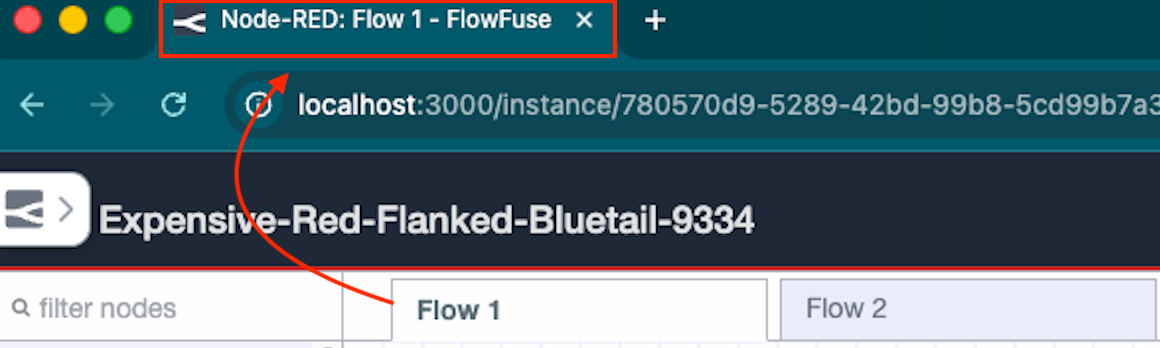 The browser tab title showing "Node-RED: Flow 1 - FlowFuse" after navigating to the Flow 1 canvas tab.
Previously, the title stayed generic, something like Instance - Editor - FlowFuse, regardless of which canvas tab was active. If you had multiple embedded editors open in different browser tabs, there was no way to tell them apart at a glance.
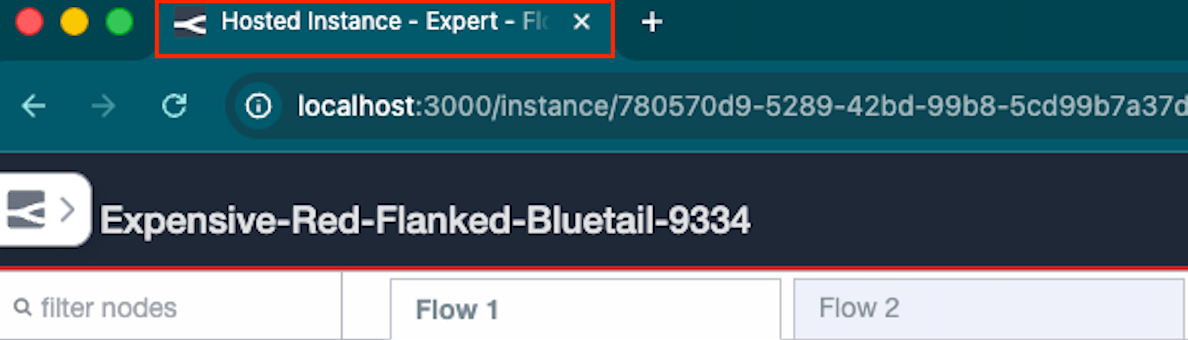 The old generic title, showing "Hosted Instance - Expert - FlowFuse" regardless of which canvas tab was open.
This feature requires Node-RED Assistant v0.12.0 or later. If you are on an older version of the assistant, the title will not update.
This change is live on FlowFuse Cloud. Self-Hosted users will receive it in the next release (v2.29).
Written By:
Published on:
Related GitHub Issues
Recent Updates:
- Getting started with FlowFuse straight from the terminal
- FlowFuse Expert Can Now Work With Your Tables
- A Dedicated Home for Your Dashboards
- Application Roles from SSO Groups
- FlowFuse Expert Enhancements